See exactly
what you get.
Real screenshots from the app. Every screen you'll use, every signal explained.
Live prices &
real-time charts
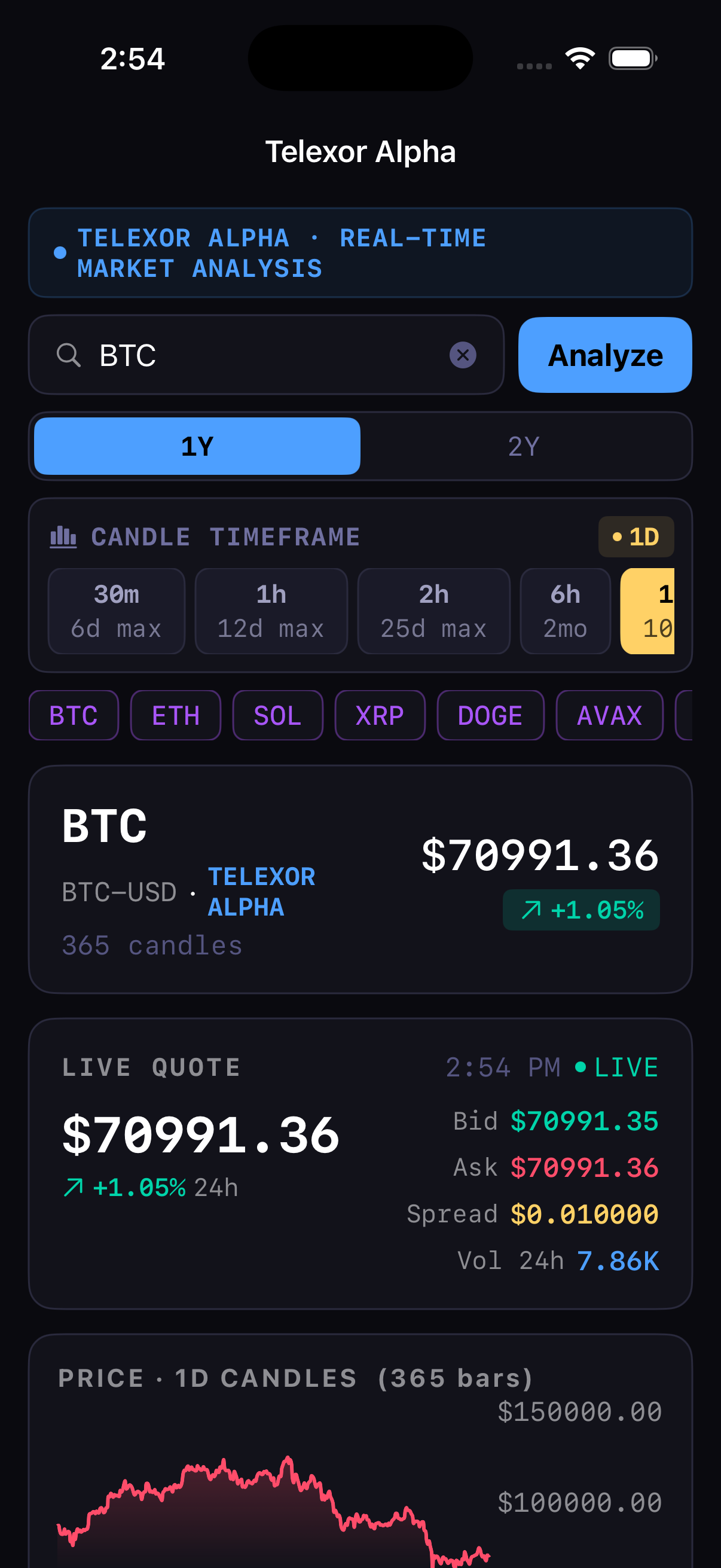
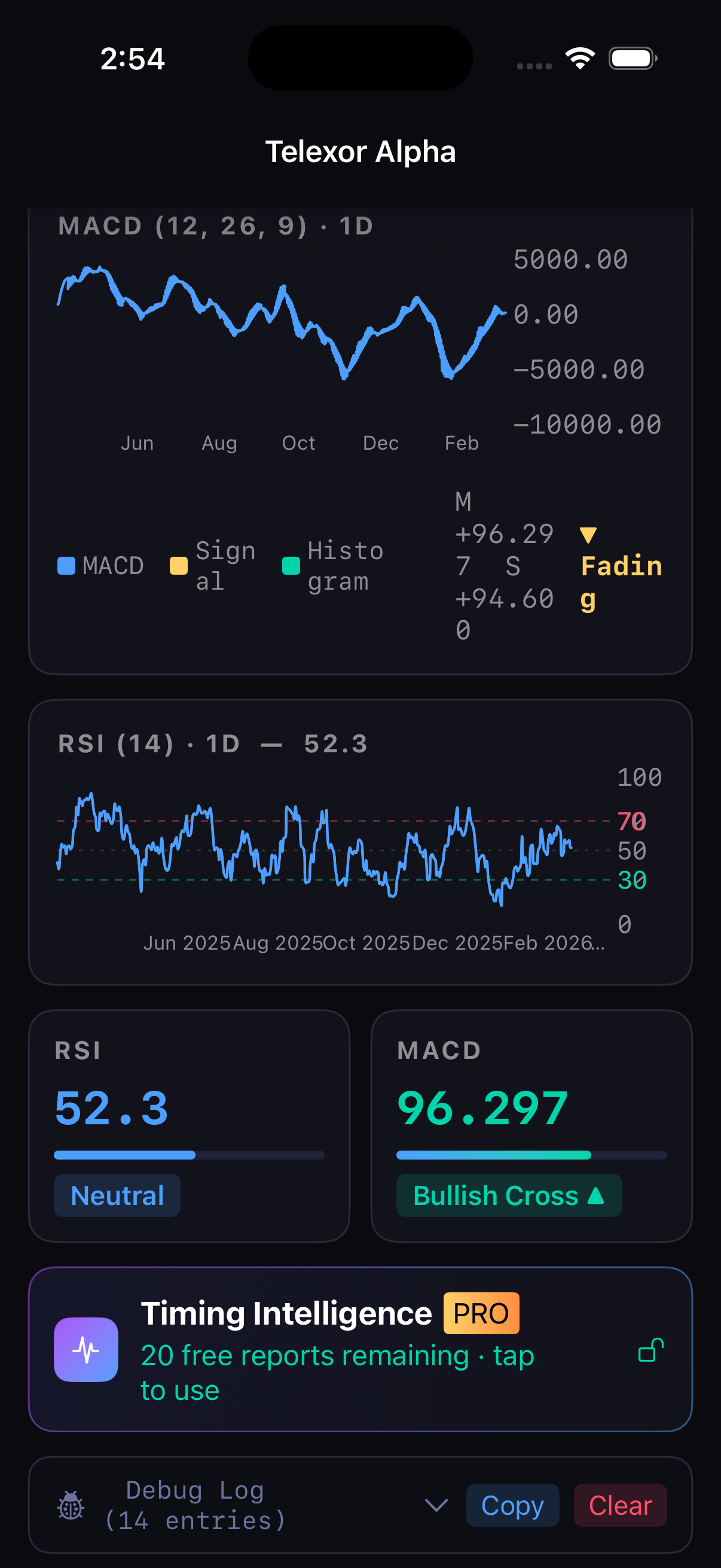
Type any crypto symbol and hit Analyze. Live bid, ask, spread, and 24h change appear instantly. Price chart, Bollinger Bands, MACD, and RSI load from Coinbase in seconds.
- Live quote updates every 60 seconds
- 365 daily candles with Bollinger Bands
- MACD histogram, signal line, and RSI (14) charts
- Switch between 30m, 1h, 2h, 6h, and 1D timeframes
Cycle detection &
entry timing
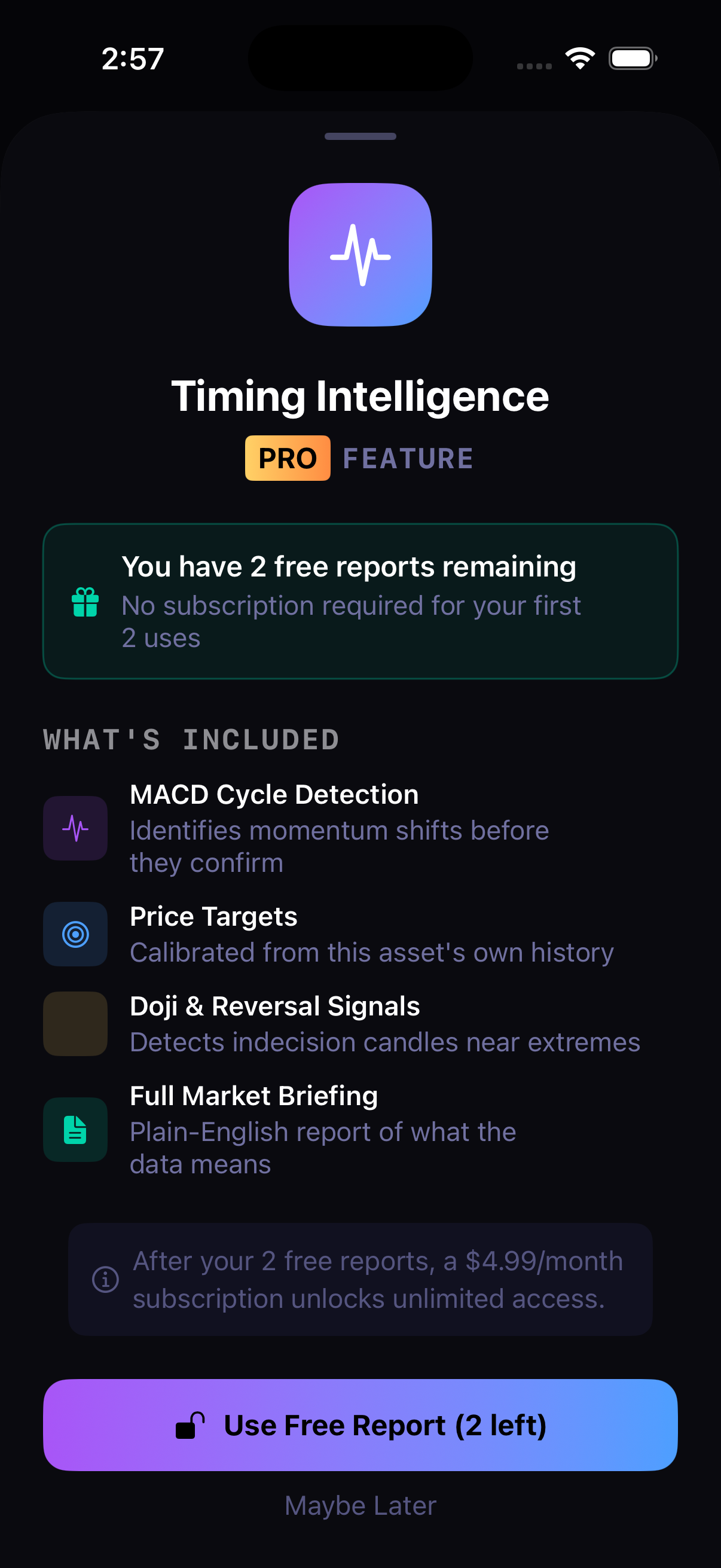
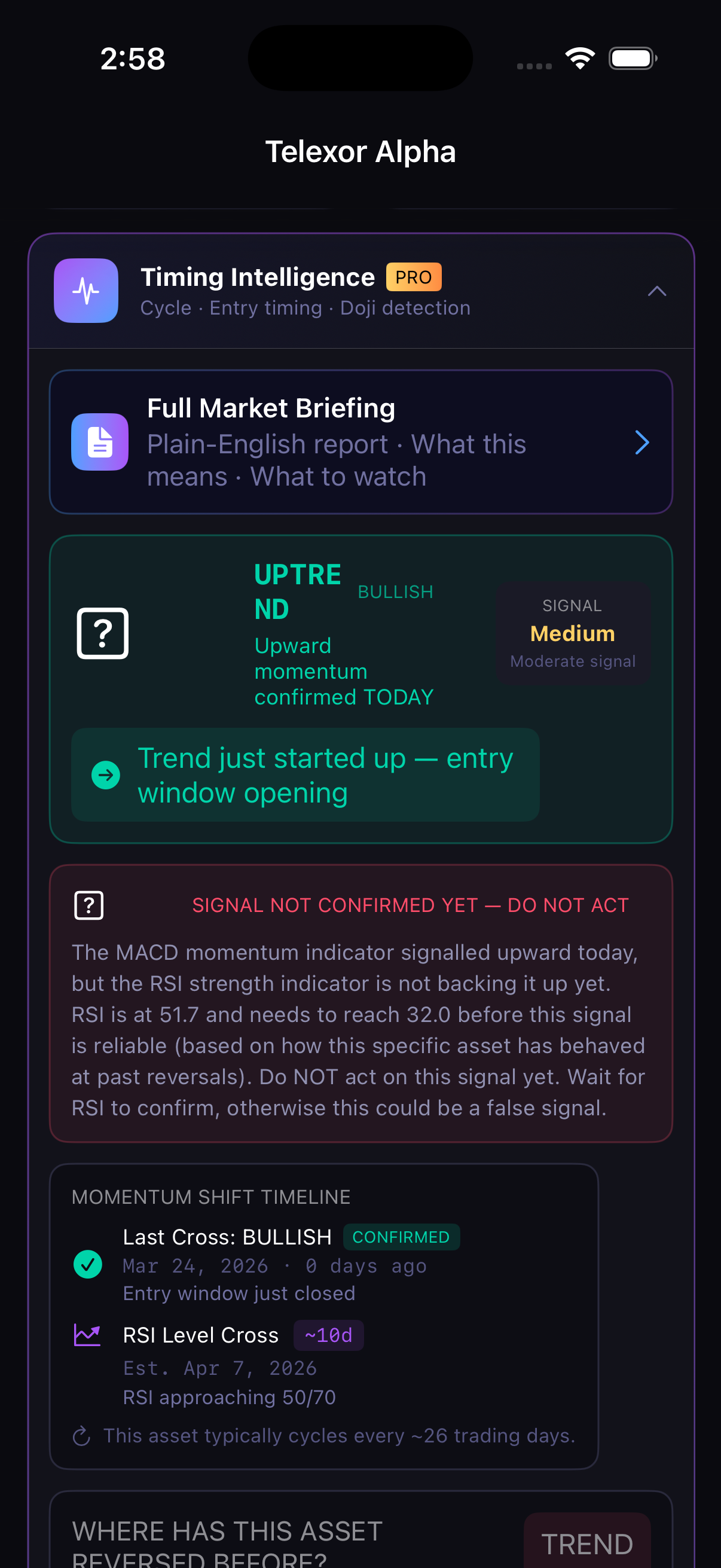
Cycle Intelligence is the Pro engine inside the app. It identifies where you are in the current MACD cycle, confirms signals against this asset's historical patterns, and warns you when a cross is unconfirmed.
- 30 days free — plus a full cycle guarantee. No credit card needed to start
- Bullish/bearish MACD cycle phase detection
- Momentum fading & re-igniting alerts within each cycle
- Momentum shift timeline with estimated dates
Where has this asset
reversed before?
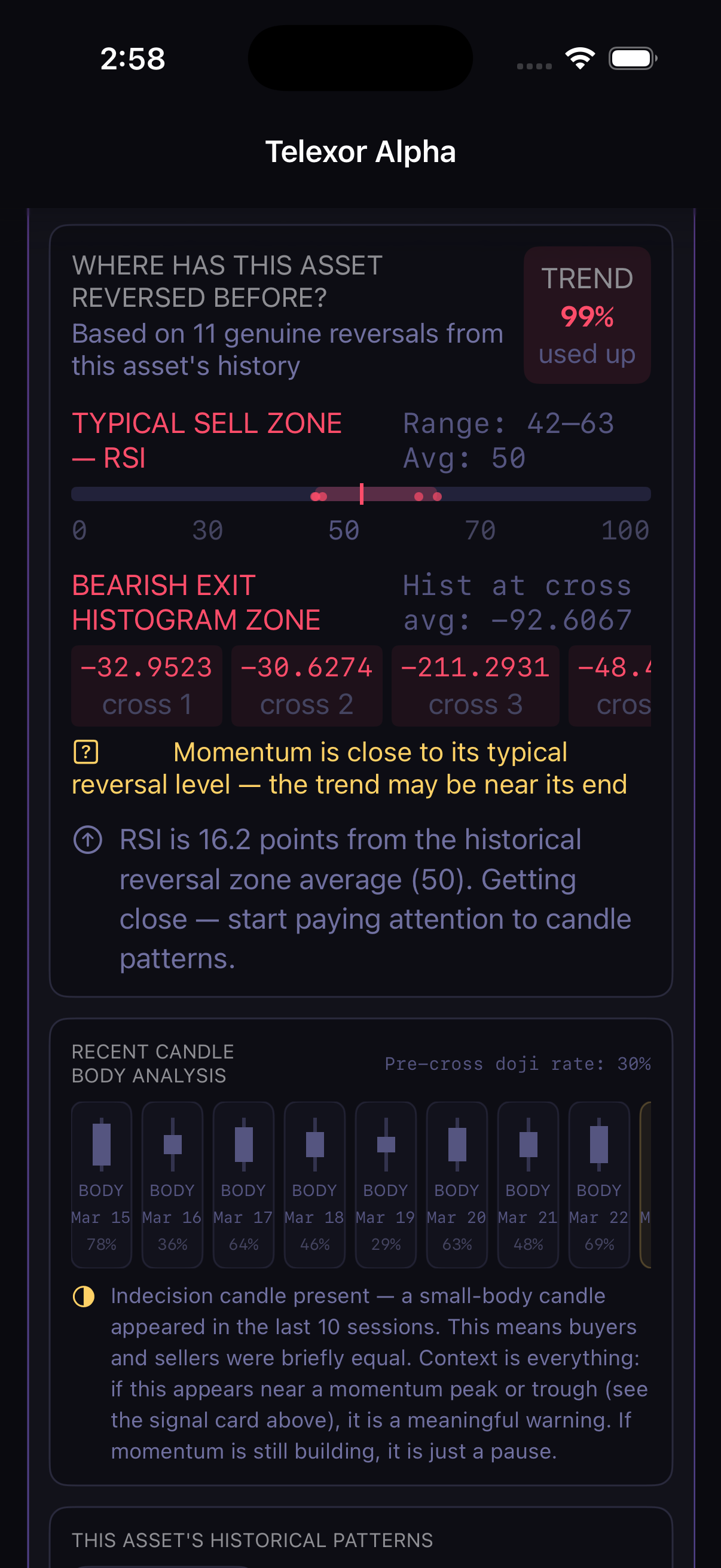
The engine scans this asset's own history to find the price levels and cycle behaviors where past reversals happened — not generic thresholds. It shows you the actual reversal patterns for this coin.
- Typical sell zone calculated from genuine historical reversals
- Momentum fade and re-ignite detection based on cycle history
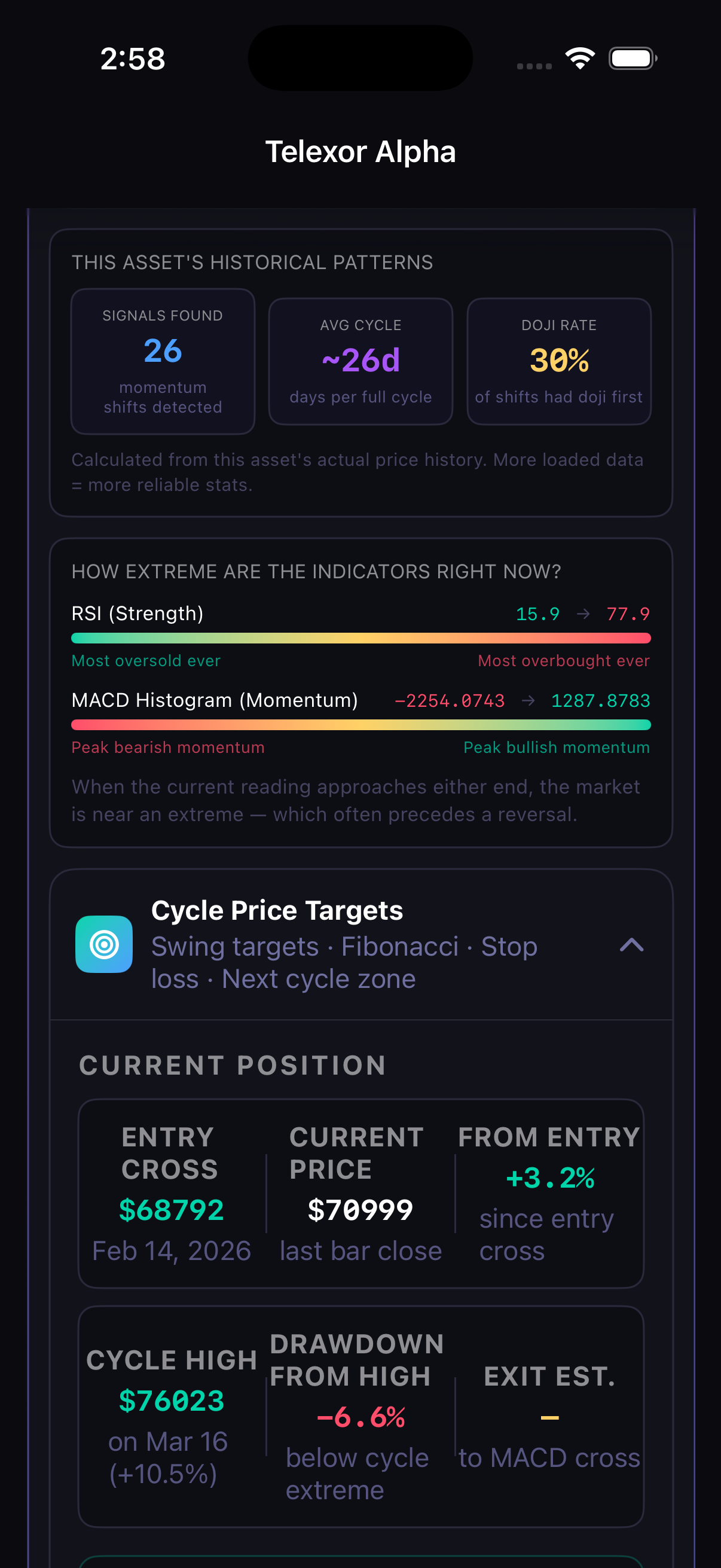
- Historical patterns: signals found, avg cycle length, win rate
- Indicator extremes bar — how overbought/oversold right now
Calibrated targets
from real cycles
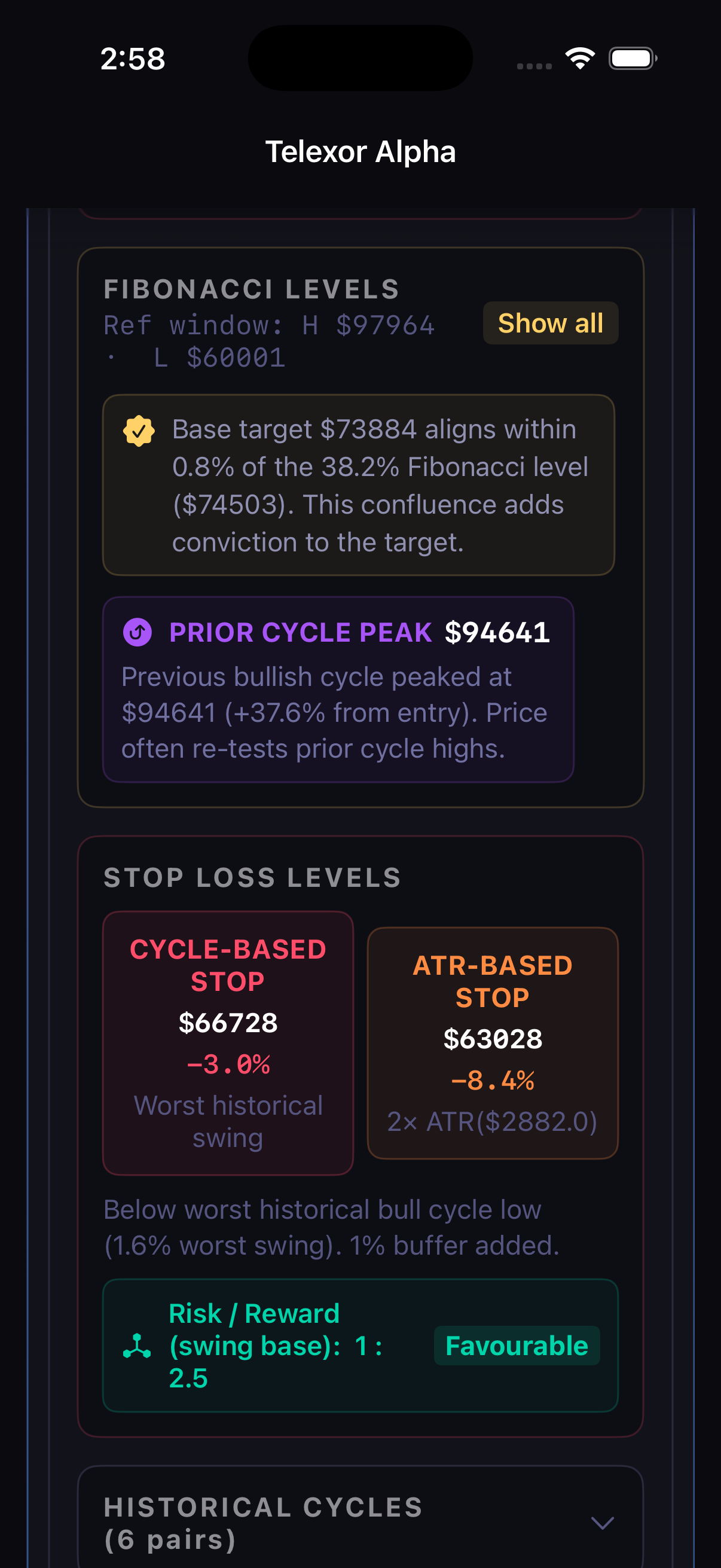
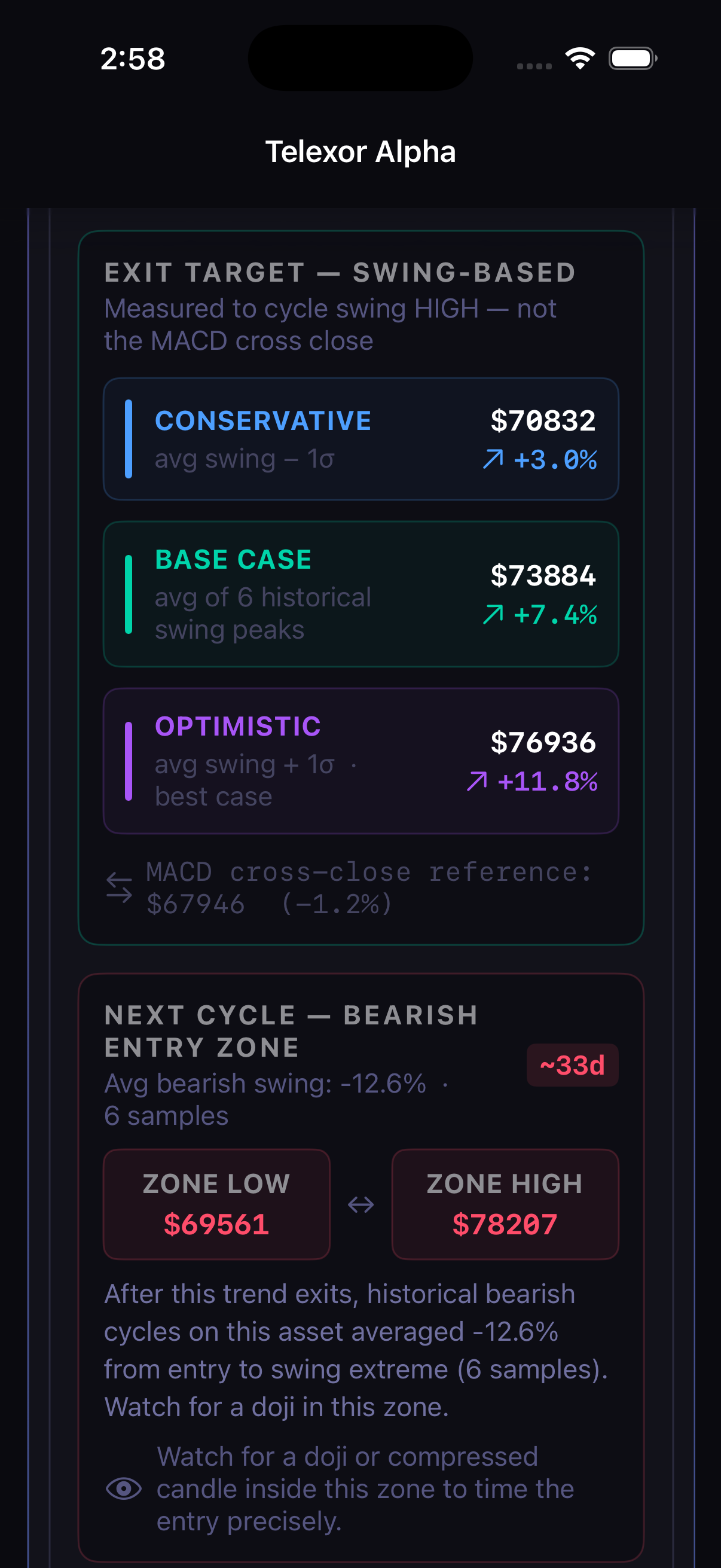
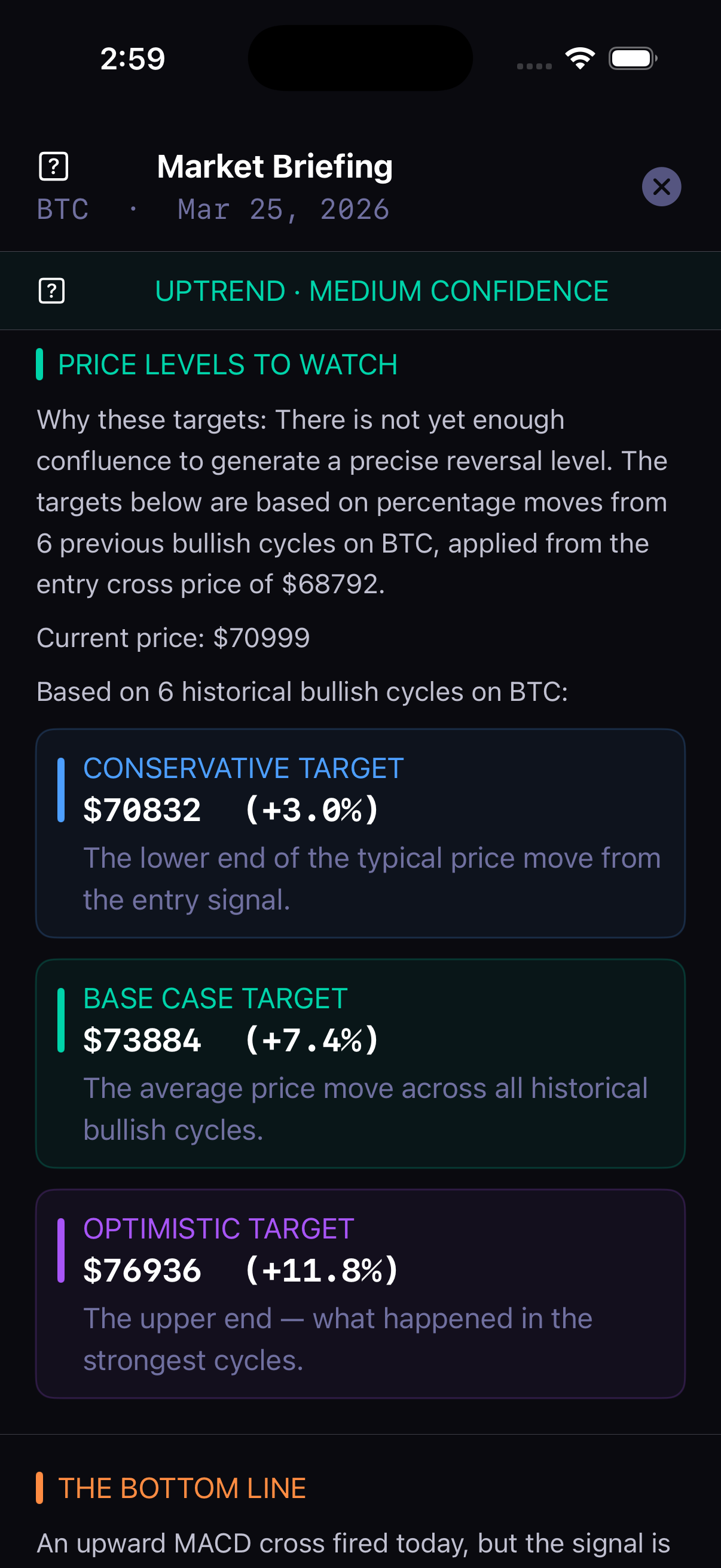
Swing targets are calculated from this asset's own historical MACD cycles — not generic multiples. Conservative, base case, and optimistic levels reflect the actual range of past moves.
- Conservative / base case / optimistic swing targets
- Push notifications when each target is hit
- Next cycle entry zone — where the opposite signal typically fires
- Cycle chart on every card — see Top, Bottom, and Re-ignite markers
Plain English.
No jargon. No guessing.
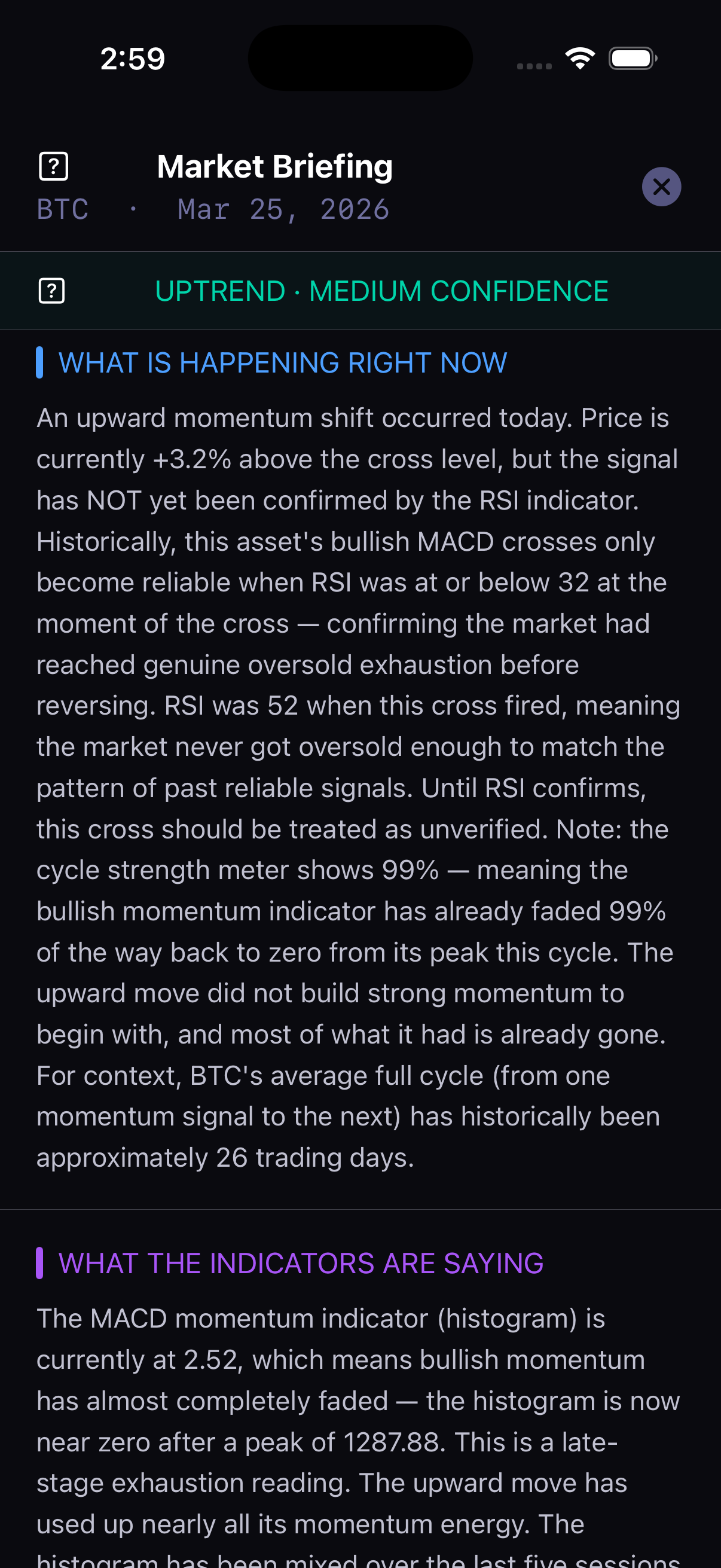
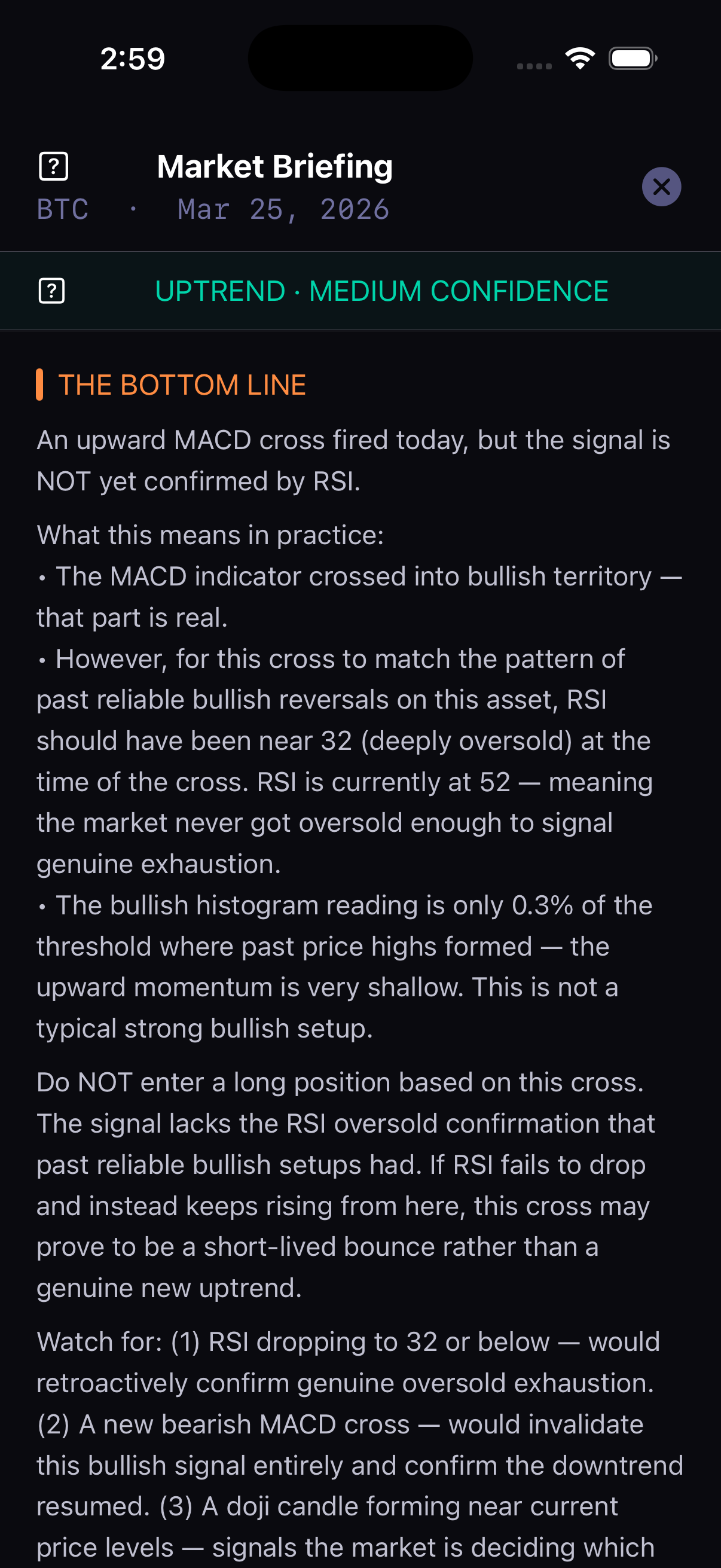
The market briefing translates every indicator into plain language — what is happening right now, what the indicators are saying, what happened in previous cycles, and a clear bottom line with specific guidance on what to watch next.
- What is happening right now — current trend, cycle age, momentum
- What the indicators are saying — RSI and MACD explained in plain English
- Price levels to watch — conservative, base case, and optimistic targets
- The bottom line — clear action guidance with no ambiguity
Signals delivered
before you miss them.
Add any coin to your watchlist and a 24/7 server-side engine monitors it every minute — even when the app is closed. The moment a buy or sell signal fires, a push notification arrives on your phone with the price, entry details, and cycle context.
- BUY and SELL push notifications in real time
- Mid-cycle momentum alerts — know before the trend turns
- Price target alerts — notified the moment conservative, base, or optimistic targets are hit
- Catch-up alerts — add a coin mid-cycle and get briefed on what you missed
- Every signal logged with entry price, outcome, and win rate
New to crypto?
Start here.
Simple Mode replaces charts and indicators with a plain-English dashboard — one card per coin, telling you exactly where things stand and what to watch for next. No trading knowledge required. Switch to Pro mode anytime for the full technical picture.
- One card per coin — status, price, and plain-English explanation
- Price targets shown as first goal, middle goal, optimistic goal — with checkmarks when hit
- Momentum alerts explained without jargon
- Ask AI — tap once for a plain-English briefing on any coin
- Simple / Pro toggle always visible — switch anytime
Ask AI.
Get a real answer.
Tap "Ask AI" on any coin and a local AI model generates a plain-English summary of exactly what's happening — the cycle phase, signals that fired, momentum status, targets hit, and your two strategic options. Powered by a local model running on your network. No data sent to third parties.
- Full cycle context — where you are, what signals fired, what targets were hit
- Two clear options: act on early momentum signal vs. wait for confirmed cross
- Plain language — no trading jargon, no ambiguity
- Cached for 30 minutes so repeat taps are instant
- Private — runs on a local AI model, not a cloud service